Find rows and search databases
Find in the current table
Press Ctrl-F or choose Find in table from Ctrl-P. Type a search term to
show matching rows. The search respects the current table’s filters and order.
Choose a result with ↑/↓ and press Enter to focus that row in the grid.
Ctrl-←/Ctrl-→ scroll result columns; Esc closes the popup.
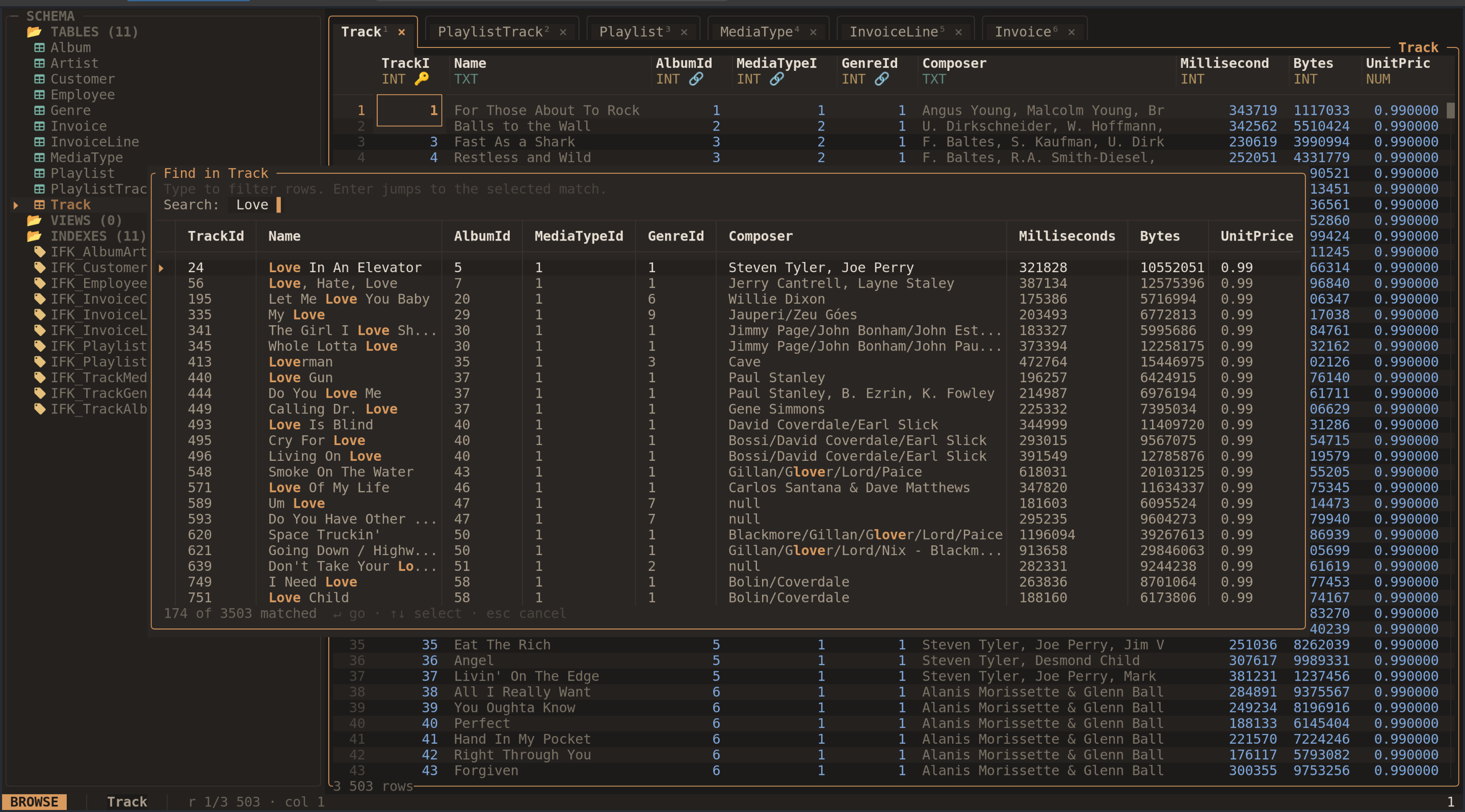
Search results include multiple columns so you can identify the right row.
The result list is limited to 500 matches. Narrow the term or add column filters if you need a more specific result. Finding a row changes focus; it does not create a permanent column filter.
Search all tables
Open the command palette and choose Search all tables. Type at least two
characters to search
tables and views across the database. Choose a hit and press Enter to open its
table and focus the matching row where possible. The list is limited to 20
matching rows per table or view, and 500 hits across the database.
If a saved table filter hides a matching row, clear that filter with F and
search again. Views and tables without a usable row identity have more limited
row navigation.
Go to a row number
Press Ctrl-G, type a row number, and confirm with Enter. This number is a
position in the current filtered and sorted grid, starting at 1. It is separate
from a database primary-key value.
For an exact ID, use an equality filter or a SQL query.